Send Help Scout Escalations to Jira Issues Automatically
Connect Help Scout and Jira Issues so escalated conversations become tracked engineering issues automatically, or run it as an AI agent that pauses for a team lead before assigning a P1.
How do you connect Help Scout to Jira Issues?
A scheduled sweep of Help Scout conversations, filtered by tag or status, drives Create Issue in Jira, and the two systems stay linked from there through Add Note and Add Attachment. FlowRunner is a visual AI-agent orchestration platform where automations run autonomously and pause for human judgment on the steps that carry real consequence. Run the connection as a plain sync and every tagged conversation lands as a structured Jira issue within seconds; run it as an AI agent and the agent also decides which conversations actually warrant escalation, then pauses for a team lead before assigning anything above P1.
The problem it solves
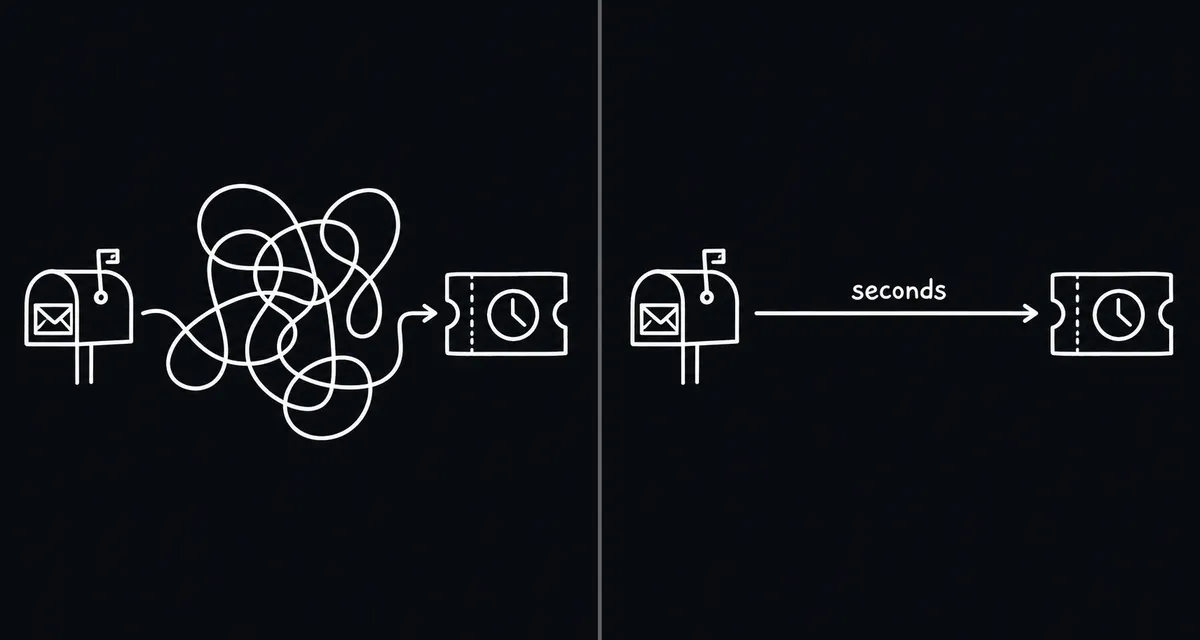
A support agent flags a conversation as a bug, and from there it depends on someone remembering to open Jira. In practice, a support lead copies the customer’s message into a new issue by hand, guesses at severity, and pings whoever seems free. Engineers get a ticket with a subject line and no structured data: no customer name field, no original email attached, no severity that maps to anything the team actually uses. Some of these conversations fall through the cracks entirely, especially the ones that come in late in the day or during a support agent’s last ticket before a shift ends.
The same gap runs in reverse. Once the Jira issue exists, the customer conversation in Help Scout sits disconnected from it. Nobody updates the customer when engineering makes progress, because nobody set up a way to look up the linked issue from inside the mailbox. An operations lead ends up spending a chunk of every week reconciling the two systems by hand, checking Jira for status and copying updates back into Help Scout notes. None of this is hard work. It is just manual, repetitive, and exactly the kind of process that quietly consumes the time back a support team needs for the conversations that actually require a human.
How it works: the connection
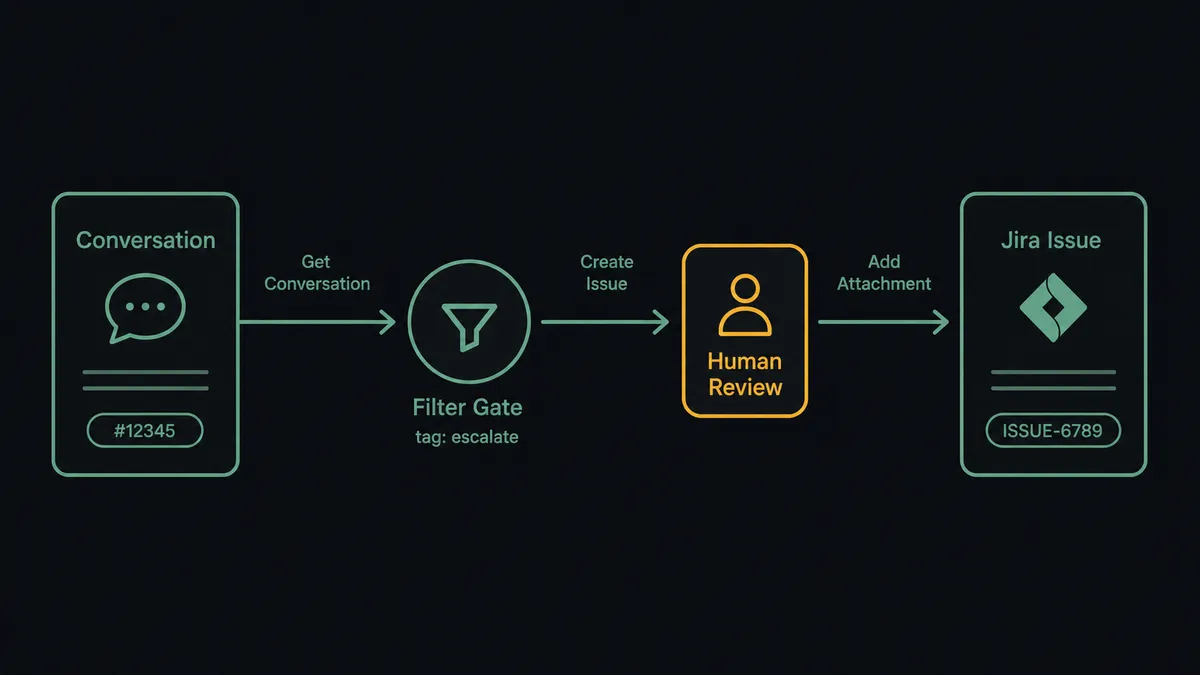
Help Scout exposes no event triggers of its own, so the flow starts from a scheduled sweep. FlowRunner runs List Conversations against the watched mailboxes on a recurring interval, filtered with Help Scout’s search syntax for a tag such as “escalate” or a status that marks the conversation for engineering.
When a match comes back, the flow pulls full context with Get Conversation and List Threads, so the issue in Jira is built from the real conversation, not just a subject line. Create Issue runs against the target Jira project with the customer name, a summary drawn from the thread, and a severity mapped from the conversation’s content. Add Attachment carries the original message or screenshot into Jira so the engineer has the source material without hunting for it. Once the issue exists, Add Note writes the Jira link back into the Help Scout conversation, and a Slack message notifies the engineer directly: the issue is tracked, assigned, and visible from both sides within the same cycle that used to take a support lead ten minutes of manual copying.
Can an AI agent run it? (and why a human stays in the loop)
The plain sync above treats every tagged conversation the same way. An AI agent does not. It reads the conversation and reasons about it: is this a one-off complaint that a tag was applied to by mistake, a routine bug that fits the normal intake pattern, or a P1 that involves a specific sensitive component or an outsized customer? The agent has Get Conversation, List Threads, Create Issue, and Assign Issue available to it as tools, and it decides which ones to call and in what order based on what the conversation actually says, not a fixed script.
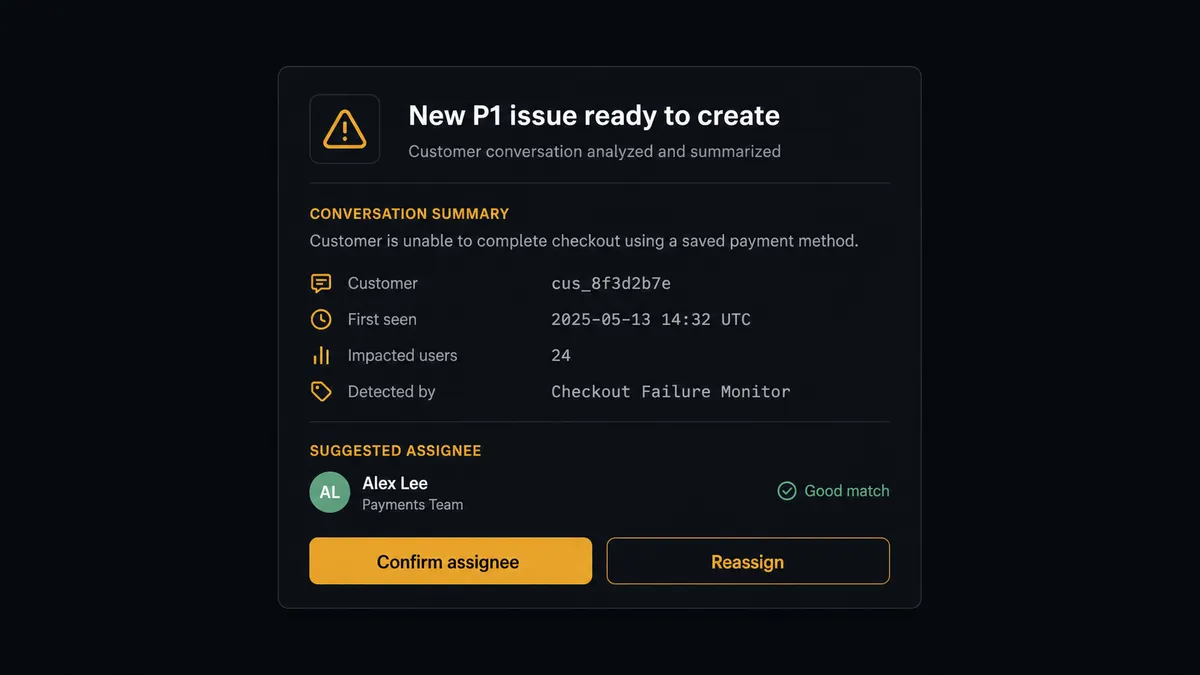
The decision that matters is assignment. For a routine issue, the agent runs Create Issue and Assign Issue straight through, using the normal on-call rotation. For a P1, or an issue touching a component the team has flagged as sensitive, the agent does not assume the default assignee is right. It packages the issue summary and its suggested assignee into a Slack message to the team lead: “New P1 issue ready to create: [summary]. Assign to [suggested assignee] based on rotation, or do you want to assign someone else?” The flow pauses there. The team lead confirms or redirects, and the agent resumes with that decision as input, recording who decided and when in the audit trail.
This is not a sync tool with an if-then branch bolted on. The agent is deciding, conversation by conversation, whether the situation clears its own bar for automatic handling or needs a person to weigh in, the same way Help Scout’s own reply step holds a drafted response for an agent’s approval before anything reaches a customer. It is a digital andon cord: the flow keeps moving on its own until it hits a step with real consequence, and then it stops and asks.
FlowRunner vs Zapier
Zapier is a reasonable choice for a straight point-to-point zap between Help Scout and Jira, and its setup speed for a single trigger-action pair is genuinely fast. Where it runs out of road is the moment this workflow needs judgment: deciding which conversations actually merit escalation, rating severity from the conversation content, and holding a P1 assignment for a human without hand-building a chain of filter steps and separate approval apps.
| Capability | Zapier | FlowRunner |
|---|---|---|
| Human-in-the-loop | Bolt-on, built from separate apps and filters | Native: the agent calls a human-in-loop step as a tool, mid-flow |
| Users included | Priced per seat on most plans | Unlimited users on every tier |
| AI provider | Zapier-managed AI credits | Bring your own key (BYOK), your provider, your rate |
| Self-hosting | Not available | Enterprise self-hosted option available |
| Pricing model | Per-task pricing that scales unpredictably with volume | Transparent workflow-based tiers with clear execution limits |
Before and after
| Metric | Before | After |
|---|---|---|
| Ticket creation | Support staff read each email and create Jira tickets by hand | Jira issue created with full context within seconds of the conversation being tagged |
| Ticket data | Tickets arrive with a subject line and no structured data | Customer name, description, severity, and source message attached automatically |
| Assignment | Whoever is free gets pinged, regardless of rotation or component ownership | Routine issues route by rotation; P1 issues wait for a team lead’s confirmation |
| Visibility | Support and engineering track the same issue in two disconnected systems | The Jira link is written back into the Help Scout conversation automatically |
| Sprint health | Engineering manager checks Jira manually for unassigned or blocked issues | Unassigned and blocked issues surfaced to the engineering channel each morning |
What you can build
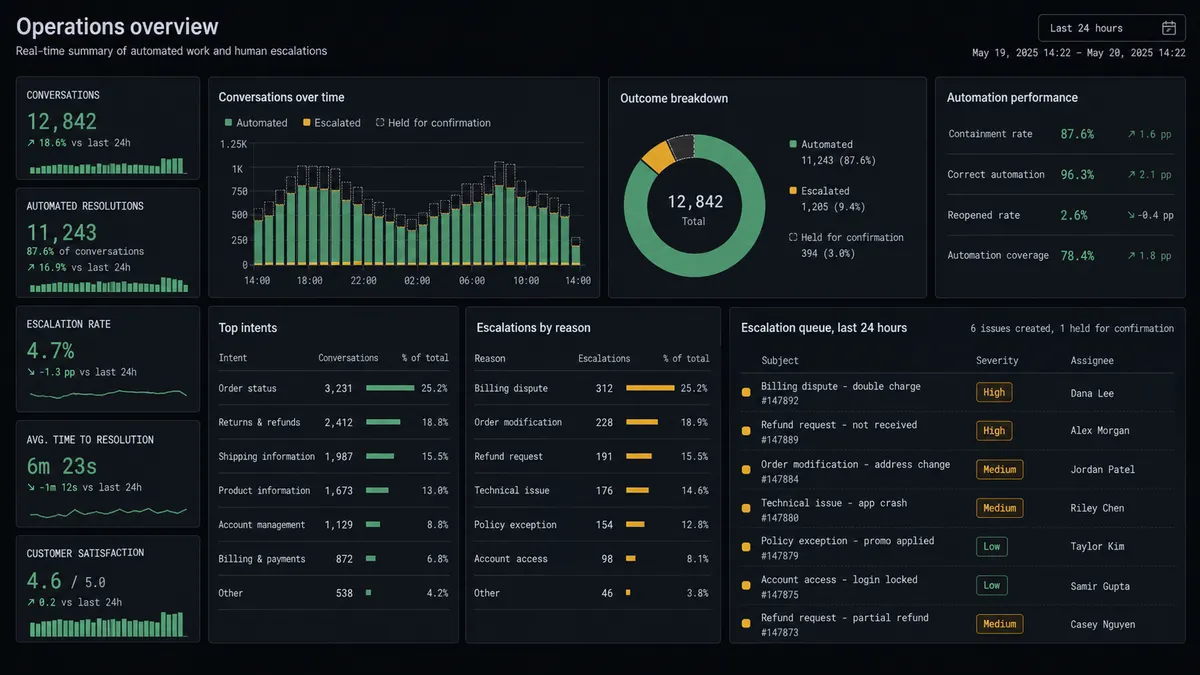
Escalation-to-issue pipeline. A scheduled sweep tags conversations for escalation, the agent creates the Jira issue with full context attached, and Add Note writes the link back into Help Scout so support can follow progress without leaving the conversation.
Severity-aware assignment. The agent rates each incoming issue and routes routine ones through Assign Issue on the standard rotation, while P1s and sensitive-component issues wait in Slack for a team lead’s confirmation.
Resolution loop-back. When Transition Issue moves a Jira ticket to Done, the agent adds a note in the original Help Scout conversation and, once a support agent approves the wording, sends the customer an update with Add Reply.
Daily sprint health digest. Every morning, Search Issues runs a JQL query for unassigned or blocked issues in the current sprint, and the agent posts a summary to the engineering channel alongside any Help Scout conversations still waiting on an engineering response.
Customer record sync. When a new Jira issue names a customer who has no Help Scout record yet, the agent runs Create Customer so the profile exists before the customer’s next message arrives.
Common questions
Is it free to connect Help Scout and Jira Issues on FlowRunner? Yes. FlowRunner has a free plan with 100 executions a month, every integration included, and no credit card required, and new accounts get 14 days of Professional on top.
Do I need a developer to set this up? No. The trigger, the Create Issue mapping, and the human-in-loop step are all configured visually in FlowRunner. No code is required to connect Help Scout and Jira Issues.
Can I self-host this workflow instead of using FlowRunner’s cloud? Yes. FlowRunner offers a self-hosted Enterprise option for teams that need the workflow to run inside their own infrastructure, with the same human-in-loop logic available on-prem.
Does the AI agent need my own OpenAI key? Yes. FlowRunner uses a bring-your-own-key model for AI providers, so the agent that reads Help Scout conversations and drafts Jira issues runs on your own key, not a shared pool.
What happens when the agent isn’t sure whether an issue is a P1? It does not guess. The agent proposes a severity and a suggested assignee, then pauses the flow and asks a team lead in Slack to confirm or redirect before the Jira issue is assigned.
Does Help Scout have to trigger the flow, or can it go the other direction? Help Scout has no native event triggers, so this flow runs on a scheduled sweep of Help Scout conversations. The same connection can also run in reverse, updating a Help Scout conversation when a linked Jira issue changes status.
Getting started
FlowRunner has a free plan with 100 executions a month, every integration included, and no credit card required, and new accounts get 14 days of Professional on top. Build the scheduled sweep, map Create Issue, and add the human-in-loop step for P1 assignment in one sitting at flowrunner.ai. If you’d rather walk through it with someone first, book time at calendly.com/flowrunner/intro.
Frequently asked questions
Is it free to connect Help Scout and Jira Issues on FlowRunner?
Yes. FlowRunner has a free plan with 100 executions a month, every integration included, and no credit card required, and new accounts get 14 days of Professional on top.
Do I need a developer to set this up?
No. The trigger, the Create Issue mapping, and the human-in-loop step are all configured visually in FlowRunner. No code is required to connect Help Scout and Jira Issues.
Can I self-host this workflow instead of using FlowRunner's cloud?
Yes. FlowRunner offers a self-hosted Enterprise option for teams that need the workflow to run inside their own infrastructure, with the same human-in-loop logic available on-prem.
Does the AI agent need my own OpenAI key?
Yes. FlowRunner uses a bring-your-own-key model for AI providers, so the agent that reads Help Scout conversations and drafts Jira issues runs on your own key, not a shared pool.
What happens when the agent isn't sure whether an issue is a P1?
It does not guess. The agent proposes a severity and a suggested assignee, then pauses the flow and asks a team lead in Slack to confirm or redirect before the Jira issue is assigned.
Does Help Scout have to trigger the flow, or can it go the other direction?
Help Scout has no native event triggers, so this flow runs on a scheduled sweep of Help Scout conversations. The same connection can also run in reverse, updating a Help Scout conversation when a linked Jira issue changes status.