Purchase Order Automation Software
Automate PO routing, vendor document handling, and three-way matching across the ERP and procurement stack you already run. Humans review exceptions.
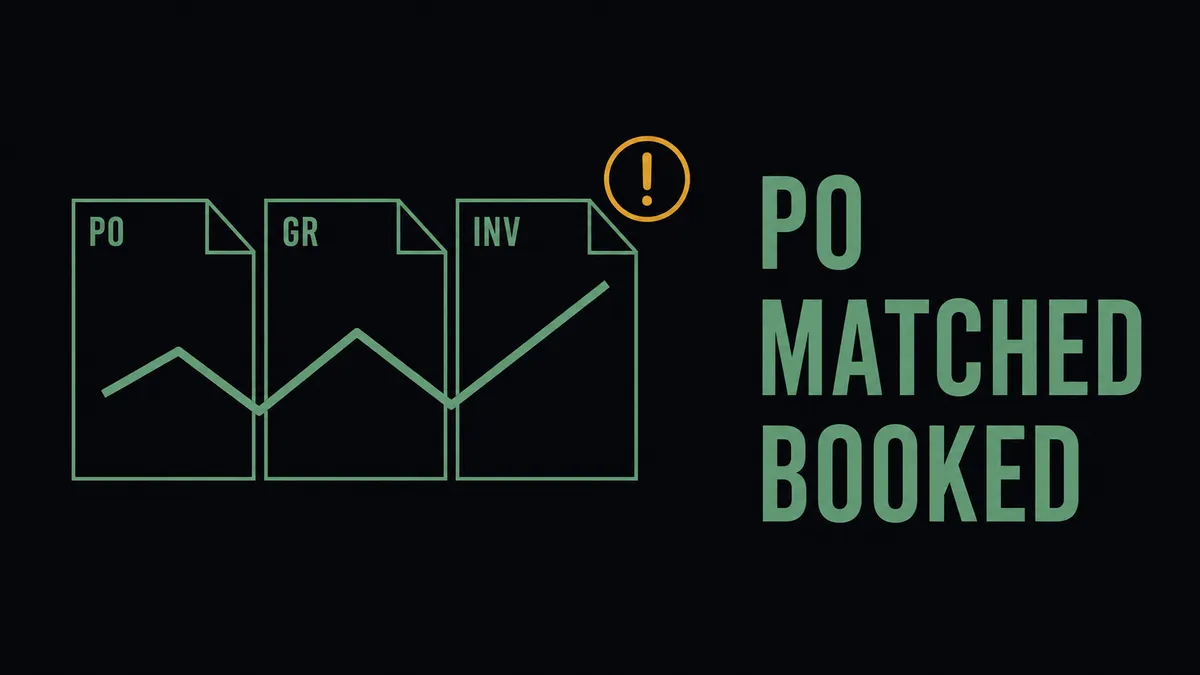
Purchase order automation software is two different products under one search term, and the version a procurement team needs depends almost entirely on what they already run. For teams without a system of record, it means a standalone application that owns the catalog, the requisition, the PO, and the approval ledger in one place. For teams already running NetSuite, Acumatica, SAP, or Coupa, it means something else: automation that sits around the system of record they already trust, handling the work between it and the rest of the stack.
The honest read on this category, which most PO automation reviews will not say plainly, is that the structural choice (replace versus orchestrate) decides whether the rollout works far more reliably than any feature checklist. This page is written for the orchestrate side of that choice.
What procurement teams actually mean by PO automation
The two interpretations rarely get separated in marketing copy, so the buyer ends up comparing tools that solve different problems against each other:
- Standalone PO software consolidates requisition, catalog, PO creation, and approval inside one application. It is the right answer when no system of record exists yet, or when the existing ERP’s procurement module is too thin to live in.
- Automation around the existing stack keeps the ERP as the PO master and adds coordination across the systems that surround it: shared mailboxes that receive vendor documents, approval channels in Slack or email, the AP tool that processes invoices, and the contract repository that holds the agreements.
Most mid-market procurement teams have already chosen a system of record. The work hiding inside the PO automation question is therefore rarely “which standalone PO tool to buy” and almost always “how to route approvals, handle vendor documents, perform three-way matching, and triage exceptions across the systems already in place.” That is the work this page describes.
Where manual PO processes break down
The repeating failure pattern across mid-market procurement teams is consistent enough to name:
- Approval routing handled in email or chat with no consistent record of who approved what against which policy. The PO record shows Approved; the audit cannot reconstruct who signed off or on what basis.
- Vendor invoices and receipts landing in a shared inbox, requiring manual entry into the ERP because nothing wires the inbox to the vendor master.
- Three-way matching done by AP staff comparing PDFs to ERP records line by line, with line-item discrepancies caught (or missed) by hand.
- Price-variance, partial-receipt, and missing-PO exceptions sitting in queues with no named owner and no defined escalation path.
- Recurring and renewal POs surfacing late because no system watches for them between cycles.
Each of these can be patched in isolation. None of them can be solved by buying another standalone tool that adds its own database to reconcile against the ERP.
What to look for in purchase order automation software
A short list of capabilities that matter once the orchestrate-versus-replace question is settled:
- Works with the systems already in place. Connects to the ERP as the PO master rather than re-hosting the vendor record in a separate database.
- Conditional approval routing. Routes by amount, category, vendor, and cost center, not just a linear threshold ladder. The PO approval workflow explainer covers the design questions in detail.
- Vendor document intake. Accepts PDF invoices and receipts from shared inboxes, structures the data, and validates it against the open PO before any record is posted.
- Three-way matching. Compares the PO, the goods receipt, and the vendor invoice and flags variance with the context needed to resolve it. The pattern is defined consistently across ERP documentation, including SAP’s standard three-way match reference.
- Human-in-the-loop on exceptions. Pauses the flow and asks a named reviewer on ambiguity rather than auto-approving or auto-rejecting.
- Per-execution audit trail. Captures every approval and match decision against the PO record with the user, timestamp, and input attached.
How FlowRunner approaches PO automation
FlowRunner is not a standalone PO application. It is the orchestration layer between the systems that already hold pieces of the procurement process. The ERP holds the PO master. The shared inbox receives vendor documents. The contract repository holds the agreement. Slack holds the approval. FlowRunner runs above them and produces one consistent audit trail across the lot.
Three reference patterns show the shape:
- Automating the full bill lifecycle in Acumatica coordinates AP intake, exception escalation, and posting with a human in the loop on the cases that need judgment.
- Vendor documents into Acumatica with duplicate checks parses inbound PDFs, validates against the open PO, and routes price variance and duplicate-bill exceptions through Slack to a named reviewer before any record is written.
- Vendor invoice processing into NetSuite runs the same shape against NetSuite as the system of record, with the duplicate check and exception escalation handled before the bill is created.
- Email-to-QuickBooks invoice automation shows the same pattern against QuickBooks Online for teams whose vendor master lives there.
The orchestration layer above procurement, AP, and the ERP is the category that owns this work. FlowRunner is built for that layer. The differentiator on PO automation is not a better form for the buyer to fill out. It is what happens between the request and the posted bill, and whether exceptions get resolved by a human with the right context attached or auto-resolved with the trail to reconstruct later.
The integrations procurement teams actually ask about
- ERP and system of record: NetSuite, Acumatica, QuickBooks Online. FlowRunner reads the open PO, vendor master, and chart of accounts; writes the bill, the posting, and the approval evidence back.
- Document capture: Parseur for parsing inbound PDF invoices, receipts, and statements out of a shared mailbox into structured fields.
- Approval and exception channel: Slack for routing approvals to named reviewers and handling exceptions with the full PO context attached to the message.
- Contract repository: DocuSign for supplier agreements and renewal references.
The PO flow gets built once against the team’s real approval matrix and real systems. Replacing the ERP or the AP tool is not part of the install.
Building the business case
The honest framing on ROI:
- Time recovered from manual approval chasing, PDF data entry, and side-by-side three-way matching is the most reliable savings. The work to remove is the part that has no judgment in it.
- Reduction in maverick spend comes from consistent policy enforcement on approvals across categories, not from blocking spend after the fact.
- Faster cycle time from requisition to PO to paid invoice compounds because exceptions surface days earlier, not because the happy-path is shorter.
- Audit defensibility comes from the per-PO trail of approvals, document matches, and exception resolutions living in one reconstructible place rather than across inboxes.
The honest baseline matters here: most procurement teams have some controls today. PO automation tightens them, removes the manual chase work, and produces an auditable record. It does not invent governance from nothing, and any vendor pitch that promises a percentage cycle-time reduction without measuring the current cycle should be treated as marketing rather than evidence. The framework for how to calculate what is worth automating handles the math as a financial question rather than a gut call.
Getting started
A realistic sequence for evaluating an orchestrate-versus-replace PO automation approach:
- Map the current PO lifecycle across the systems already in place. Where does the requisition originate, who approves at which threshold, which inbox receives the invoice, which tool runs the match, where does the bill post?
- Identify the two or three highest-volume exception types. Price variance over X percent. Receipt-PO mismatch on quantity. Duplicate-bill risk on the same vendor. Those are the patterns where automation produces the cleanest near-term result.
- Pilot one approval path or one document type end to end before expanding. The intake-to-match path against one ERP is usually the right first scope.
- Book a demo against your real stack. The conversation worth having is the one anchored on your current ERP, your real approval matrix, and a sample of recent PO exceptions, not on a generic PO automation pitch.
FlowRunner is designed to support common audit requirements: every PO execution keeps a record with timestamps, approvers, matched documents, and exception resolutions attached. That trail is the artifact procurement and finance leaders typically ask for first when PO automation shows up in a controls review.
See how this would work on your stack
A 30-minute walkthrough against your actual setup, or a quick message to scope the fit. No slides, no signup.