In the last update, your AI tool learned to tell you why a run failed. This release is about knowing what happened to every run, including the ones that never got to start. There’s a new feature on the Instances tab, a few improvements to how FlowRunner tells you a run ended, and a fix to the Value Router. Each item links to the docs page that shows how.
Instances: Queued and Discarded runs
On the Business and Enterprise plans, FlowRunner doesn’t refuse a run when the workspace is busy. If a run arrives while the workspace already has as many runs going as its plan allows, it waits in a queue for a free slot. Now you can see that queue.
A flow’s Instances tab counts runs by state in a row of circles above the list. Two new circles sit at the end of the row:
- Queued counts the runs that are waiting for their turn.
- Discarded counts queued runs that were dropped before they started, because the flow was stopped or the workspace was suspended.
Click a circle to list those runs, and click it again to clear the filter. You can also pick QUEUED or DISCARDED in the Status filter, and the circle and the filter always agree. So when a big batch of orders lands at once, you can see how many runs are waiting. And if you stop a flow while runs are still in line, you can see exactly which ones never ran.
On the other plans the two circles are greyed out, with a note that they’re available on the Business plan. See Finding the run you want, and the pricing page for what each plan includes.
Improvements
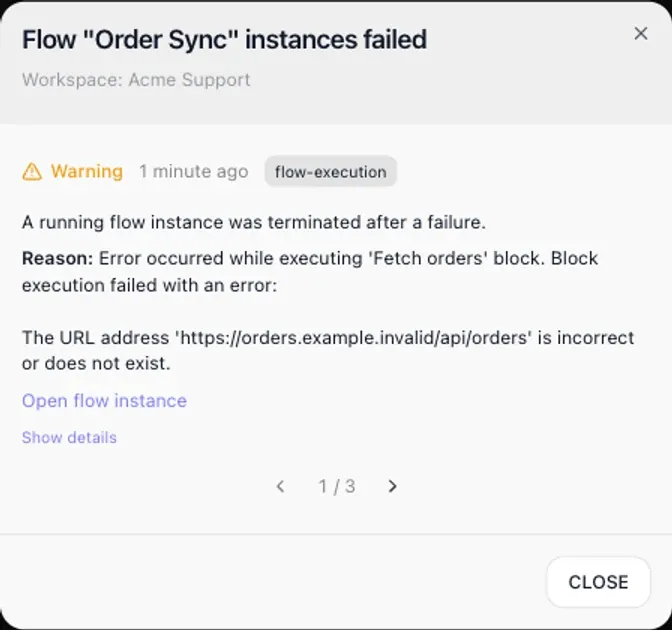
Notifications say how a run ended. A run that fails now reads instance failed, and the step that failed and its error are one click away. A run someone stopped reads instance stopped, and so does a run that ended because its flow was stopped. Repeated failures of one flow still share a single entry with a count, so a busy flow doesn’t bury the rest of your notifications. See Failed and stopped runs.
You can put the API key in the URL. The newer API addresses keep the key out of the URL by taking it in a header. They now also accept it as a frAccessKey query parameter, so a webhook sender or a no-code tool that can only be given a URL can call your flows too. See Sending the key in a header.
The API tells you why a run ended early. When a run you started through the API ends before it finishes, the answer now says whether it failed or someone stopped it. Your calling system can handle the two cases differently, for example retrying a failure and leaving a stopped run alone. See When a run fails.
Bug fixes
- Value Router no longer stops a run on a missing value. When the value it checked was missing or empty, the Value Router failed and the run stopped. Now the run takes the Everything Else branch, the same as it does for any value no branch claims. See Value Router.
Try it
Open any flow’s Instances tab to see the new circles. If you’re new to FlowRunner, start free. No credit card, and every integration is on every plan. The pricing page has the details for every plan.
Frequently asked questions
What does Queued mean on a flow's Instances tab?
On the Business and Enterprise plans, a run that arrives while the workspace already has as many runs going as its plan allows waits in a queue for a free slot instead of being refused. The Queued circle counts those waiting runs. Click it, or pick QUEUED in the Status filter, to list them.
Why would a queued run be discarded?
A queued run is discarded when it is dropped before it starts, because its flow was stopped or the workspace was suspended. The Discarded circle on the Instances tab counts those runs, and clicking it lists them.
Can I send the FlowRunner API key in the URL?
Yes. The newer API addresses take the key in the FR-Access-Key header, and they now also accept it as a frAccessKey query parameter. That lets a webhook sender or a no-code tool that can only be given a URL call a flow.