How to Connect BambooHR to Google Sheets: Track Every Pay Change
Connect BambooHR to Google Sheets to keep a headcount tracker current automatically, or run it as an AI agent that pauses for a person before compensation or employment-status changes land in the sheet.
How do you connect BambooHR to Google Sheets?
The On Employee Changed trigger in BambooHR fires when any employee record moves, and a FlowRunner flow maps that event to Find Row and Update Row (or Add Row for a new employee) in Google Sheets, keeping a headcount or compensation tracker current without anyone exporting or pasting data. FlowRunner is a visual AI-agent orchestration platform where automations run autonomously and pause for human judgment on the steps that carry real consequence. The same connection runs as an AI agent that reads the changed record, decides whether the update is routine or sensitive, and pauses for a person before a compensation or employment-status change reaches the tracker sheet.
The problem it solves
Payroll managers and ops leads keep a second copy of the roster because BambooHR isn’t the system everyone touches. Finance needs a compensation change log without full HR system access. The office manager needs a live headcount count for budget planning. So someone builds a Google Sheet, and every week, someone exports from BambooHR, opens the export, and pastes the relevant rows into the tracker by hand. The sheet is never quite current, because it only updates when a person remembers to update it.
The bigger risk is on the sensitive side. A compensation change goes into BambooHR, and the tracker sheet that payroll actually runs its process from doesn’t reflect it until the next manual sync, sometimes days later. Or worse, someone copies the new value into the sheet directly, with no record of who approved the change or when. A pay adjustment is hard to walk back once payroll has already processed it against a stale number. The team wants the tracker to stay current in real time, and they want every sensitive write to leave a trail, not a paste job nobody can reconstruct later.
How it works: the connection
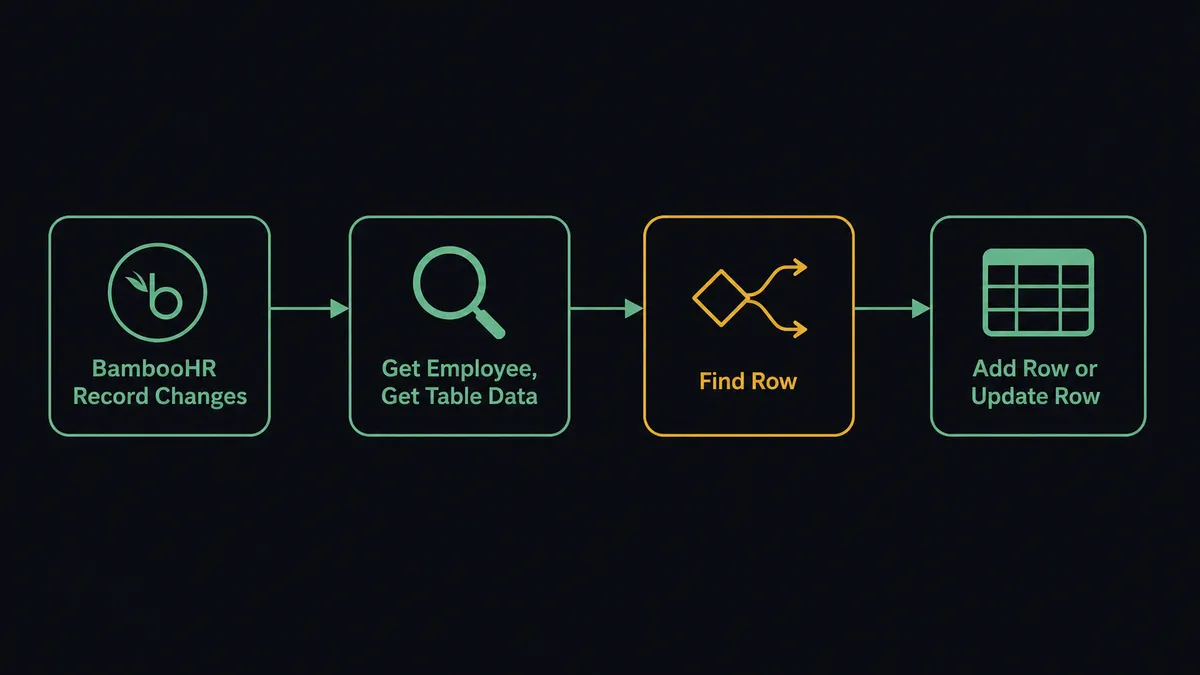
The On Employee Changed trigger fires when any employee record moves in BambooHR: a new hire, a field update, a status change, or a termination. FlowRunner receives the changed employee IDs and the flow begins.
The flow calls Get Employee By ID to pull the full record, then Get Employee Table Data to read the specific table that changed, whether that’s jobInfo, compensation, or employmentStatus. With the record in hand, the flow calls Find Row against the tracker sheet to locate the employee’s existing row by ID or email, using Load Header Row to map the columns by name rather than position.
If the employee already has a row, the flow calls Update Row to write the changed fields and a status. If this is a new hire, it calls Add Row instead, appending a fresh entry with the employee’s name, department, start date, and starting compensation. Either way, the tracker sheet reflects the change as it happens, not on next week’s export.
For routine changes like a title, department, or manager update, the sync runs straight through. Nobody in payroll or ops is pasting exported rows into a tracker anymore; the sheet stays current in the flow.
Can an AI agent run it? (and why a human stays in the loop)
A plain trigger-to-action connection covers most of what a headcount tracker needs day to day. The agent layer is for the write that shouldn’t go through without a second look.
An AI agent in FlowRunner reads its instructions, evaluates the data in front of it, and picks tools from its toolbox based on the situation. For this pair, the toolbox includes Get Employee By ID, Get Employee Table Data, Find Row, Add Row, Update Row, and Export Sheet. The agent chooses which to call and in what order based on what the record shows, not a fixed sequence.
The moment that needs a human is a compensation or employment-status write. This is not a hardcoded rule like “if the raise exceeds 10%, ask a person.” The agent reads context: is the proposed value what the manager actually submitted in the request flow, or is there a discrepancy? Does the effective date fall in the next pay period, or does it back-date into a period payroll already closed? Is this the employee’s first compensation row, or does it follow a recent one that hasn’t settled yet?
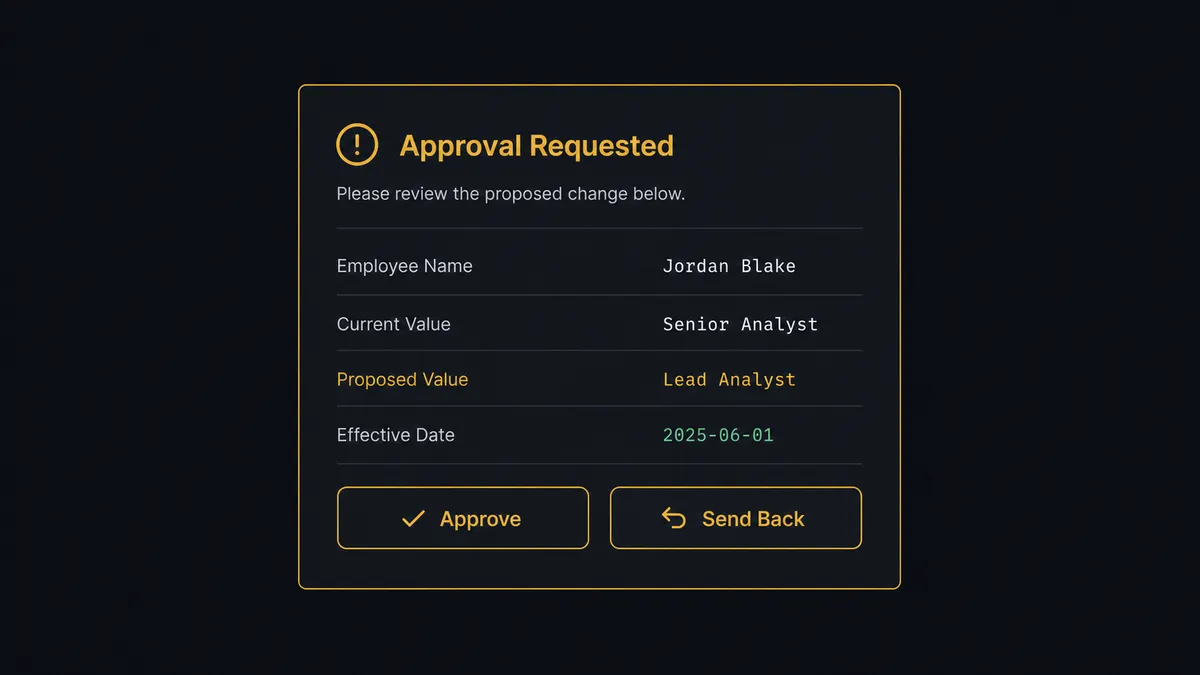
When the agent decides a human should own the write, it invokes the human-in-loop subflow as a callable tool. The subflow messages the payroll manager through their preferred channel with the full context: employee name, current value, proposed value, and effective date, along with Approve and Send Back options. The workflow pauses. The manager reviews and responds. The agent resumes with that decision, and only then calls Find Row and Update Row to write the confirmed change into the tracker.
The decision, the approver’s identity, and the timestamp all go into the audit trail automatically. No paste job. No stale sheet. No reconstructing who signed off after the fact.
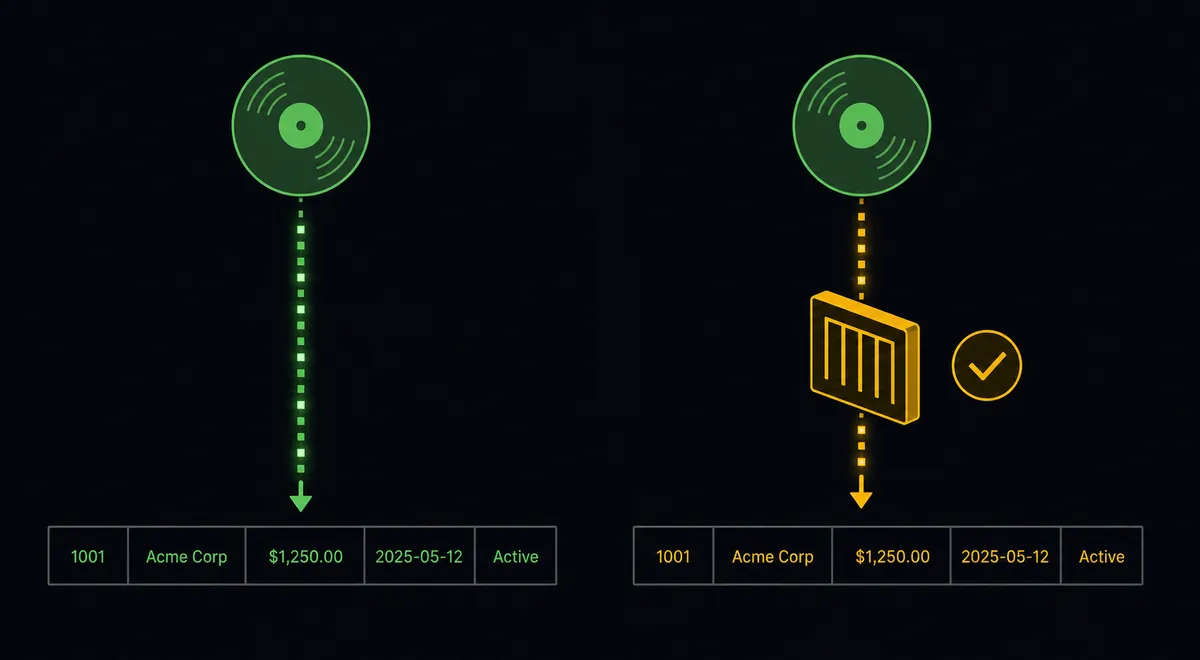
This is the digital andon cord. The agent runs the routine sync without interruption. When it hits a write that changes someone’s pay or standing, it stops the line and asks.
FlowRunner vs Zapier for BambooHR and Google Sheets workflows
Zapier is the right comparison for most HR and ops teams shopping for a BambooHR-to-Sheets automation. It has a large template library, a familiar no-code interface, and genuine strength for simple trigger-to-action connections. For “employee record changes, update a row,” Zapier works.
The differences emerge when the workflow needs to reason about the change, not just push it through.
| Feature | Zapier | FlowRunner |
|---|---|---|
| Simple trigger-to-action | Strong. Large template library, fast setup. | Supported. Same no-code builder. |
| AI agent with decision-making | No native AI agent that reasons over data and picks tools. | Native. The agent reads the record and chooses actions based on context. |
| Human-in-loop as a callable tool | Not available. Requires manual workarounds outside the workflow. | Built in. The agent invokes a human subflow as a tool, pauses, and resumes on decision. |
| Compensation and status writes gated before they hit the tracker | No conditional human review at the write step. | Agent routes sensitive writes through approval before they reach the sheet. |
| Unlimited users on all tiers | Per-user pricing applies at higher tiers. | Every FlowRunner tier includes unlimited users. |
| BYOK for AI model | No. Zapier’s AI features use Zapier’s own model infrastructure. | Yes. Connect your own Claude, OpenAI, or other provider key. |
If you need a simple BambooHR-to-Sheets sync and nothing more, Zapier is a reasonable choice. If the workflow involves a write that changes someone’s pay or employment status, FlowRunner adds the approval layer Zapier does not have.
Before and after
| Category | Before | After |
|---|---|---|
| Roster tracking | The directory gets exported and pasted into a headcount tracker by hand | Find Row and Update Row keep the tracker synced as employee records change |
| Lifecycle visibility | A new hire or status change sits in BambooHR before the tracker reflects it | On Employee Changed fires the sync immediately, no export required |
| Compensation writes | A pay change goes into the tracker with no structured second look | Agent routes every compensation write through approval before it posts |
| Status change audit | Employment-status changes tracked by memory or a paste job | Every sensitive write captured with approver identity and timestamp in the audit trail |
| Reporting | Someone opens the sheet and downloads a file for payroll each cycle | Agent calls Export Sheet on a schedule and delivers the report automatically |
What you can build
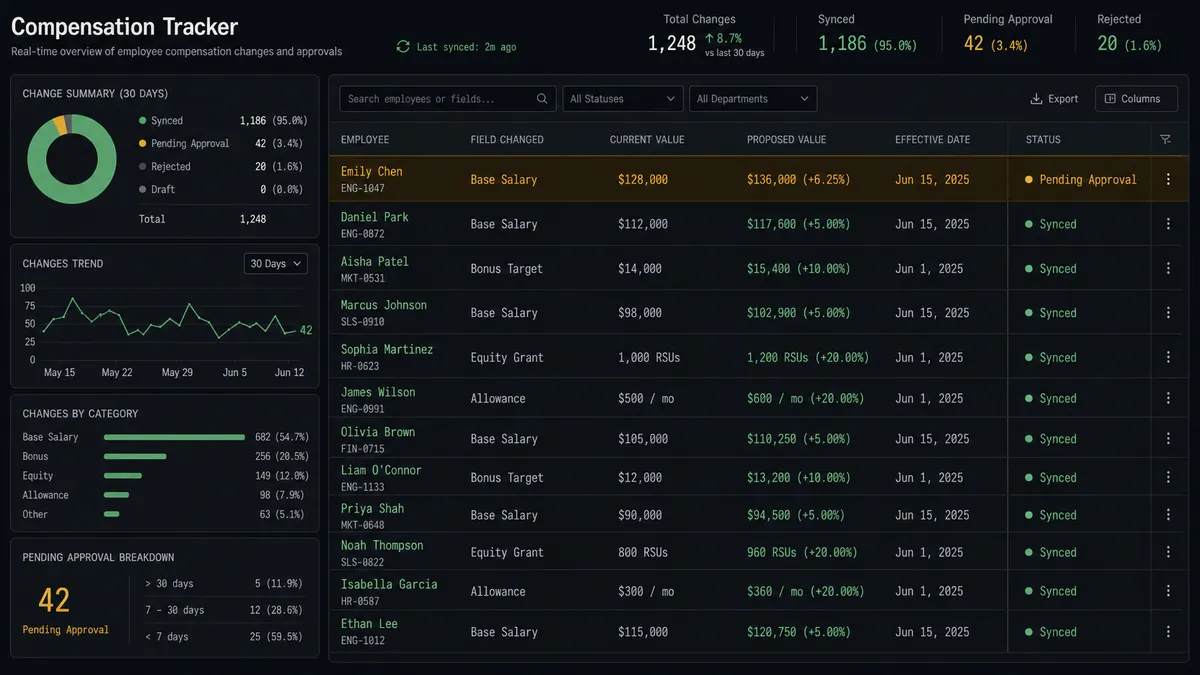
Compensation change log with approval When On Employee Changed fires for a compensation table row, the agent calls Get Employee Table Data, assembles the current and proposed values, and invokes the human subflow to message the payroll manager. On approval, it calls Find Row and Update Row to log the confirmed change with a timestamp and approver name.
Bulk onboarding from a hiring sheet An HR coordinator builds a new-hire list in Google Sheets. On New Row fires for each entry, and the agent reads the row, then calls Create Employee in BambooHR to create the record, and Update Row to write the new BambooHR employee ID back into the sheet as confirmation.
Live headcount tracker Every time an employee is added or their status changes, the agent calls Get Employee By ID and Find Row, then Add Row or Update Row to keep a running headcount sheet current by department, without anyone running a manual export.
Scheduled compensation report for payroll On a schedule, the agent calls Get Rows against the tracker sheet to pull everything processed since the last run, then Export Sheet to generate a file and deliver it to payroll as an attachment. Nobody opens the sheet or builds the report by hand.
Out-of-office coverage log On a schedule, the agent calls List Who’s Out in BambooHR, then Add Rows to log the employees out and the dates into a coverage sheet ops can reference for the week, replacing a list someone used to assemble manually.
Common questions
Is it free to connect BambooHR and Google Sheets on FlowRunner? FlowRunner has a free plan with 100 executions a month, every integration included, and no credit card required, and new accounts get 14 days of Professional on top. No credit card is required to start. Beyond the free plan, Growth is $45 per month with 12,000 executions, unlimited users, and unlimited workflows included.
Can I self-host the BambooHR and Google Sheets integration? Yes. FlowRunner offers a self-hosted Community Edition at no cost for single-instance deployments and an Enterprise tier with multi-instance clustering and the full compliance suite. Your BambooHR OAuth credentials and Google Sheets access stay inside your own infrastructure.
Does the agent need my own OpenAI or AI provider key? FlowRunner uses a BYOK model. You connect your own key from Claude, OpenAI, or any other supported provider. The platform orchestrates the agent; you supply the model credentials and pay the provider directly.
What happens when the agent isn’t sure about a BambooHR change? The agent pauses the workflow and sends a message with full context: what changed, the current value, the proposed value, and the employee record. A person approves or sends it back, and the agent resumes with that decision captured in the audit trail before anything writes to the tracker sheet.
Can I connect BambooHR and Google Sheets without an AI agent? Yes. The plain connection triggers on the On Employee Changed event in BambooHR and runs an Update Row or Add Row action in Google Sheets. No AI agent is required. You can add the agent layer later when you want conditional routing and human-in-loop decisions.
What BambooHR writes get gated before they reach the tracker sheet? The agent routes compensation and employment-status changes through human review before they post to the sheet. Routine field updates, like a title or department change, sync directly without pausing.
Getting started
FlowRunner has a free plan with 100 executions a month, every integration included, and no credit card required, and new accounts get 14 days of Professional on top.
Start with the plain connection: trigger on On Employee Changed, sync via Find Row and Update Row. Add the AI agent and the human-in-loop subflow when you’re ready to gate compensation and status writes before they hit the tracker.
Both integrations are documented at /integrations/bamboohr and /integrations/google-sheets.
Start your free trial at flowrunner.ai or book a 30-minute intro at calendly.com/flowrunner/intro.
Frequently asked questions
Is it free to connect BambooHR and Google Sheets on FlowRunner?
FlowRunner has a free plan with 100 executions a month, every integration included, and no credit card required, and new accounts get 14 days of Professional on top. No credit card is required to start. Beyond the free plan, Growth is $45 per month with 12,000 executions, unlimited users, and unlimited workflows included.
Can I self-host the BambooHR and Google Sheets integration?
Yes. FlowRunner offers a self-hosted Community Edition at no cost for single-instance deployments and an Enterprise tier with multi-instance clustering and the full compliance suite. Your BambooHR OAuth credentials and Google Sheets access stay inside your own infrastructure.
Does the agent need my own OpenAI or AI provider key?
FlowRunner uses a BYOK model. You connect your own key from Claude, OpenAI, or any other supported provider. The platform orchestrates the agent; you supply the model credentials and pay the provider directly.
What happens when the agent isn't sure about a BambooHR change?
The agent pauses the workflow and sends a message with full context: what changed, the current value, the proposed value, and the employee record. A person approves or sends it back, and the agent resumes with that decision captured in the audit trail before anything writes to the tracker sheet.
Can I connect BambooHR and Google Sheets without an AI agent?
Yes. The plain connection triggers on the On Employee Changed event in BambooHR and runs an Update Row or Add Row action in Google Sheets. No AI agent is required. You can add the agent layer later when you want conditional routing and human-in-loop decisions.
What BambooHR writes get gated before they reach the tracker sheet?
The agent routes compensation and employment-status changes through human review before they post to the sheet. Routine field updates, like a title or department change, sync directly without pausing.